“Protecting your smart home begins with securing every connection and every account.”
A smart home should make everyday life easier without making personal security more complicated. The presence of internet cameras, smart locks, control of lighting, sensors, and voice assistants can make everyday things easier, but each of those devices, which is connected to the web, can pose security threats in case of improper configuration. Poorly selected passwords, obsolete firmware, unsecured Wi-Fi networks, and too many access rights can compromise smart gadgets, leaving them vulnerable to hacking. The awareness of the above-listed threats will allow homeowners to do their best in order to ensure the security of the smart space. A reliable Home Automation Company in Chennai can help plan secure device integration, configure access controls, and explain the security settings needed to support a safer smart home environment.
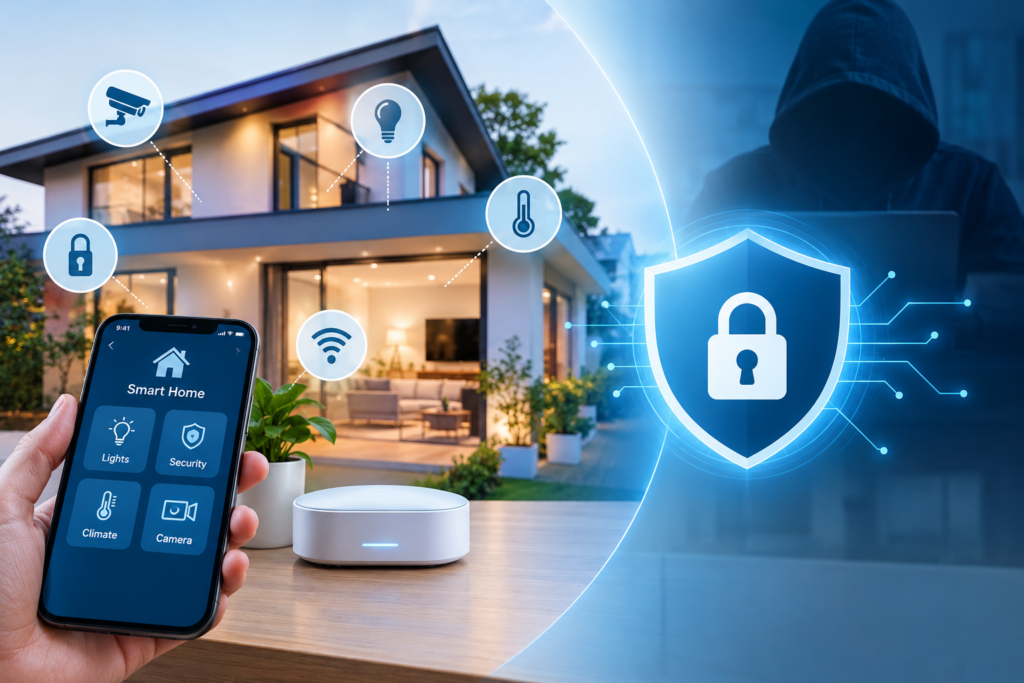
Many of your smart devices are connected to your home Wi-Fi network and communicate with apps, controllers, and other devices. Unauthorised users could be able to access devices connected to the network or try to disrupt them if the network is not well-protected. A correctly set up network is an important base for smart home security.
Common types of network security measures are:
Accounts or access credentials for smart locks, cameras, mobile apps, and automation controllers may be different. Using the same password on more than one site can make it easier for people to steal your identity if one of your accounts is compromised. Use unique passwords and appropriate features of the accounts used to protect connected devices from unwanted access.
When using passwords, follow these practices:
The functions and communications of smart home devices are controlled by software and firmware. Updates can be issued to fix known issues, make stability enhancements or to patch security vulnerabilities. Delaying updates for extended periods of time can leave devices vulnerable to issues that have been fixed.
Software maintenance should include:
The level of control that each family member requires over each smart device varies. Some users might only need access to basic functions, others may need access to changing settings, account management, or security features. Restricting access to what the individual requires can help to minimise unnecessary alterations and prevent unauthorised activity.
Access management involves:
Also Read This: Questions to Ask a Home Automation Company Before Starting Your Smart Home Project
Smart cameras and electronic door locks can offer some helpful monitoring and access-control capabilities, but do need some attention to detail. These devices may be subject to misuse if they are not secured, if they have outdated firmware, if their credentials are weak, or if they share too many permissions. Cameras and locks have an impact on privacy and physical access, so they need special consideration when creating a smart home security plan.
The protection measures in the devices are:
Unexpected changes in the behaviour of a smart device may be due to a configuration error, network problems, or even a problem related to unauthorised activity. It could be a camera opening an unfamiliar account, a light turning on at an unexpected time, or an automation routine going off at an unexpected time. While not all irregularities are signs of a cyber attack, repeated or oddly explained changes may prove useful in identifying problems early.
Signs to investigate are:
Homeowners can control compatible devices from afar using remote access. The mobile app and user account, however, are also as secure as the phone, which means that the security of the mobile app and user account is also included in the overall smart home security system. Securing such access points can minimize threats to control of devices via an infiltration of an account.
The remote access protection features comprise:
A smart home should be usable even if the internet connection is down, if one of the devices is out of power, or if the central controller is unplugged. While some features may still function locally for some products, others require cloud services or network connection. Avoiding unnecessary disruption and planning for appropriate alternatives for important functions is achieved by understanding these limitations prior to installation.
Plans for failure should include:
The convenience of a connected home is most valuable when every device works within a well-protected system. Securing network connections, controlling user permissions, updating software, and preparing for unexpected failures can reduce common digital security risks and help homeowners manage their devices with greater confidence. Security should also be considered when choosing equipment and planning how different devices communicate with one another. Working with a trusted Home Automation Company in Chennai can help homeowners integrate suitable security measures into their automation setup from the beginning. With regular checks and responsible device management, it becomes easier to enjoy the benefits of smart living while keeping privacy, access control, and everyday safety in focus.
Common risks include weak passwords, unsecured Wi-Fi networks, outdated device software, excessive user permissions, and unauthorised access to connected devices.
Use a strong, unique Wi-Fi password, update your router firmware, change default administrator credentials, and enable modern network security settings supported by your router.
Updates can address known security vulnerabilities, improve device stability, and fix software problems. Install updates through official manufacturer channels.
Like other connected devices, smart cameras and locks can face security risks if accounts are poorly protected or software is outdated. Use strong passwords, enable multi-factor authentication where available, and review access permissions regularly.
A professional company can help configure connected devices, secure network integration, establish suitable access permissions, and explain backup controls and maintenance requirements for the installed system.
Looking for Home Automation Systems in Chennai? Our Infex Automation is known to be best Home Automation Company in Chennai provide top Home Automation in Chennai. We are well known for Smart Home Automation, Smart Gate Automation, Wired Home Automation, Wireless Smart Home Automation, Curtain Automation, CCTV and Security Systems, Digital Door Lock Automation, Video Door Phone Installation Services, OTS Automation, Audio Visual Solution Providers in Chennai..
Copyright © 2025 Powered by Infex Automation . Design and Developed by